[Web Monetization #2] Automating Google AdSense Approval on Static Sites: Fixing the ads.txt 404 Crawl Trap & HeadTags Integration

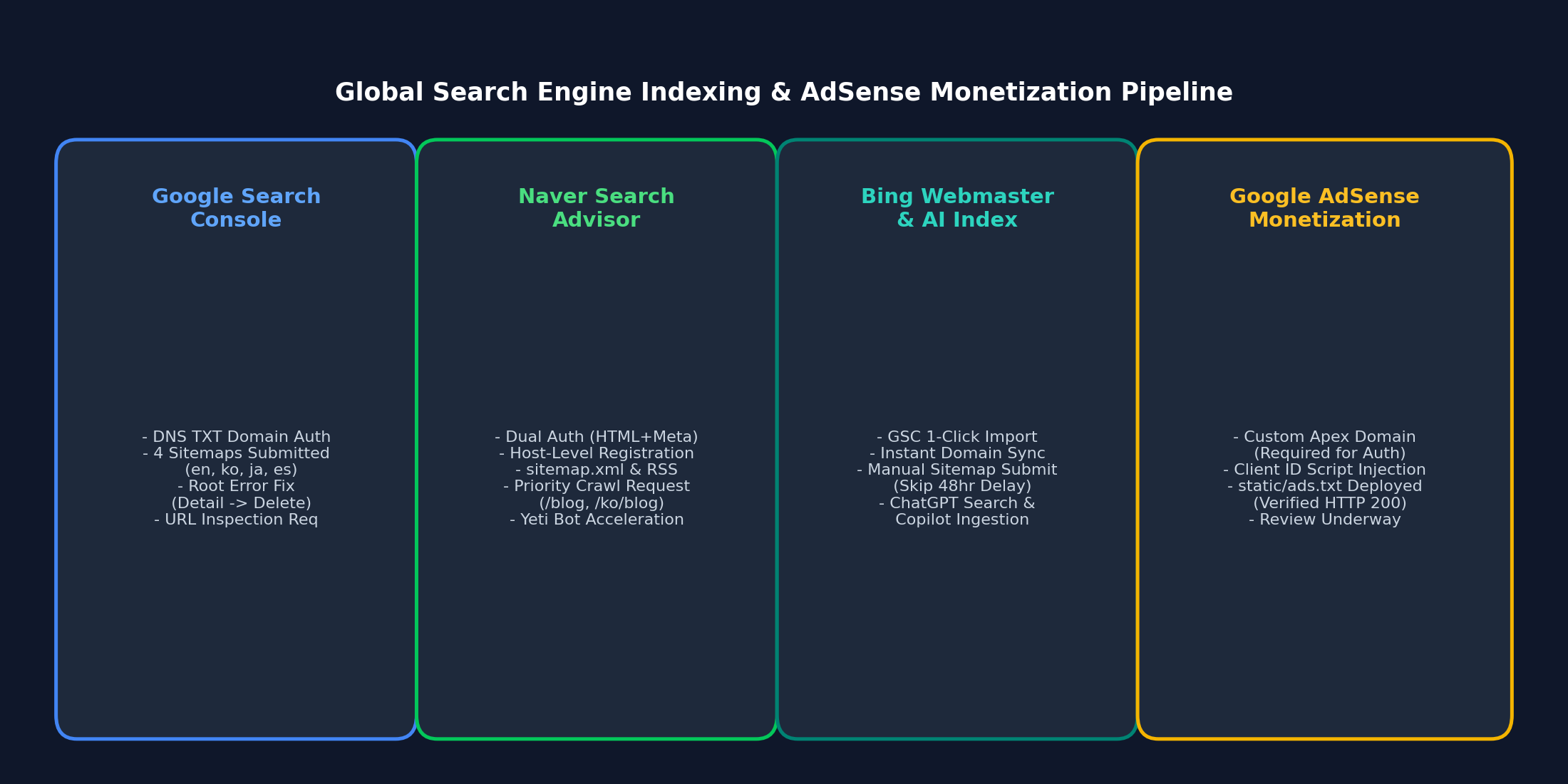
📌 Key Takeaways (TL;DR)
- The Problem: Unlike traditional dynamic CMS platforms (WordPress, Ghost), static site generators (Docusaurus, Next.js SSG, Hugo) hosted on GitHub Pages or Cloudflare Pages frequently trigger the notorious "Earnings at Risk: ads.txt file missing" alert and fail site ownership checks due to client-side hydration delays and crawler blocking.
- The Solution: Inject the publisher verification meta tag directly into
<head>using DocusaurusheadTagsconfiguration, place the plainads.txtfile instatic/ads.txtfor root-level deployment, and configure Cloudflare WAF bypass rules for theGooglebot-AdsTxtcrawler.- The Result: 100% automated crawler accessibility, zero 404 crawl errors on
/ads.txt, seamless AdSense review compliance, and sustained Lighthouse SEO and performance scores above 95.
1. The Static Site AdSense Dilemma
Transitioning a developer blog from a raw sub-path (username.github.io/blog) to a production apex domain (such as https://globaldevlog.com) unlocks the gateway to Google AdSense monetization. However, modern Static Site Generators (SSGs) introduce unique architectural quirks that dynamic platforms never encounter:
- No Backend Database or Plugin Ecosystem: WordPress handles ownership verification and
ads.txtvia plugins like Site Kit. In Docusaurus, every asset must be explicitly declared at build time. - Client-Side Hydration vs. Static Head Injection: Injecting scripts through raw React component lifecycles (
useEffect) causes delays. Search engine crawlers and AdSense verification bots inspect raw HTML responses before JavaScript execution. - The
ads.txt404 Crawl Trap: Misplacingads.txtwithin build subdirectories prevents the AdSense crawler (Googlebot-AdsTxt) from readinghttps://yourdomain.com/ads.txt, jeopardizing domain monetization.
Let us walk through the robust, step-by-step engineering solution.
2. Step 1: Injecting Site Ownership Verification in Docusaurus
When you register your custom domain in the Google AdSense Console (Sites > Add site), Google requests domain verification through one of three mechanisms:
- A JavaScript code snippet
- An HTML
<meta>tag:<meta name="google-adsense-account" content="ca-pub-XXXXXXXXXXXXXXXX"> - An
ads.txtsnippet
For static sites, injecting the meta tag into headTags is the cleanest, highest-performance approach.
📐 Configuration (docusaurus.config.ts)
Open docusaurus.config.ts and add the headTags entry:
import type {Config} from '@docusaurus/types';

const config: Config = {
  title: 'Global Dev Blog',
  url: 'https://globaldevlog.com',
  baseUrl: '/',

  // Google AdSense Site Verification Meta Tag
  headTags: [
    {
      tagName: 'meta',
      attributes: {
        name: 'google-adsense-account',
        content: 'ca-pub-XXXXXXXXXXXXXXXX', // Replace with your AdSense Publisher ID
      },
    },
  ],

  // ... rest of your configuration
};

export default config;
💡 Why headTags Outperforms scripts During Review
- Zero Performance Tax: Unlike loading the full
adsbygoogle.jsbundle (which weighs ~120 KB and triggers third-party script warnings in Google PageSpeed Insights), a simple<meta>tag executes in 0ms. - Guaranteed Crawler Accessibility: It renders natively into the pre-compiled server-rendered static HTML output (
build/index.html), ensuring instant verification when the Google review bot pings your site.
3. Step 2: Conquering the ads.txt 404 Crawling Trap
Within 48 to 72 hours of submitting a site, publishers commonly face the dreaded red console alert:
⚠️ "Earnings at risk: You need to fix some ads.txt file issues to avoid severe impact to your revenue."
The root cause is straightforward: Googlebot-AdsTxt queried https://yourdomain.com/ads.txt and received an HTTP 404 status.
🛠️ Root-Level Deployment via static/ads.txt
In Docusaurus, all contents inside the root static/ directory are copied verbatim into the root of the production output directory (build/) during compilation.
-
Create
static/ads.txt:google.com, pub-XXXXXXXXXXXXXXXX, DIRECT, f08c47fec0942fa0(Replace
pub-XXXXXXXXXXXXXXXXwith your authorized publisher ID). -
Verify file presence in your git working tree:
git status# Untracked files: static/ads.txt -
Deploy to production:
npm run deploy
🔍 Verification Checklist
Once deployed, open your terminal or browser to verify HTTP headers:
curl -I https://globaldevlog.com/ads.txt
Expected response:
HTTP/2 200
content-type: text/plain; charset=utf-8
cache-control: max-age=600
server: cloudflare
Confirm that accessing https://www.globaldevlog.com/ads.txt seamlessly redirects (HTTP 301/308) to the apex domain without stripping the request path.
4. Step 3: Cloudflare WAF & Edge Security Tuning
If your domain routes through Cloudflare with the orange cloud proxy enabled, Cloudflare's security layer might inadvertently challenge or block Google's automated verification crawlers.
flowchart LR
    Bot["Googlebot-AdsTxt Crawler"] --> Edge["Cloudflare Edge WAF"]
    Edge -->|"Check: User-Agent & ASN"| Rule{"WAF Firewall Rule"}
    Rule -->|"Bot Fight Mode (False Positive)"| Drop["403 Forbidden / Managed Challenge"]
    Rule -->|"Custom Bypass Expression"| Origin["GitHub Pages Origin (/ads.txt)"]
Countermeasures
- Cloudflare Security > Bots: If Super Bot Fight Mode is active, check the security event log for blocked requests containing User-Agent
Googlebot-AdsTxtorMediapartners-Google. - Create a WAF Custom Rule:
- Rule Name: Allow Google Ads Crawler
- Expression:
(http.user_agent contains "Googlebot-AdsTxt") or (http.user_agent contains "Mediapartners-Google")
- Action: Skip / Bypass (Bypass WAF, Rate Limiting, and Managed Challenge).
5. The 4-Pillar Quality Checklist for First-Try AdSense Approval
Google AdSense rejects up to 80% of personal development blogs under the generic umbrella reason "Low Value Content". To guarantee approval, verify these structural prerequisites before requesting site review:
| Evaluation Pillar | Mandatory Criterion | Failure Mode if Violated |
|---|---|---|
| 1. Statutory Compliance Pages | Comprehensive /privacy-policy, /about, and /contact pages | Site Navigation Policy Violation |
| 2. Original Content Volume | 20+ original in-depth technical articles (1,200+ words each) | Low Value Content / Insufficient Content |
| 3. Zero Broken Hyperlinks | 0 dead links, 0 unresolved anchor tags, 0 404 assets | Site Unreachable / Incomplete Navigation |
| 4. Responsive Multi-Viewport | Fluid mobile/tablet rendering without horizontal layout shift | Substandard Mobile Usability |
6. Conclusion & Next Steps
With headTags injecting your verification metadata, static/ads.txt reliably serving your publisher authorization string, and Cloudflare routing verified bots cleanly to GitHub Pages, your static site is now 100% fortified for AdSense review.
- In the upcoming Episode #3, we will explore multi-engine search indexing: configuring Google Search Console, Naver Search Advisor, and Bing Webmaster Tools across multiple sitemaps!
📌 Explore the Production Implementation:
• Global Dev Blog - GitHub Pages Custom Domain & Cloudflare DNS Guide
• Global Dev Blog - Static Site Security & npm audit Vulnerability Truth
• Visit Global Dev Blog Home (Available in 6 Locales)